
AirBoard
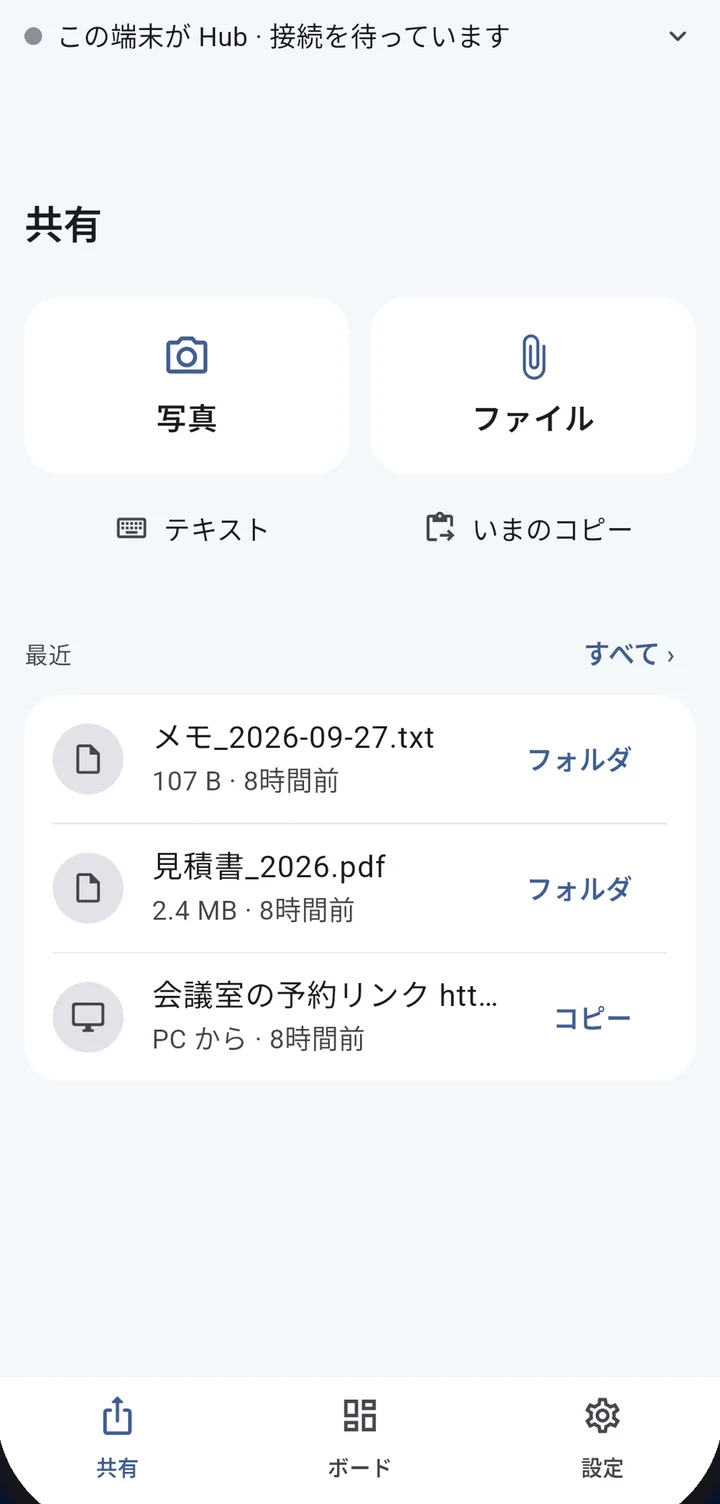
Share text, photos, files and your clipboard between your PC and phone on the same Wi‑Fi. No internet, no account.
- iPhone · iPad
- Android
- Windows


Share text, photos, files and your clipboard between your PC and phone on the same Wi‑Fi. Nothing goes through the internet — it stays between your own devices.
Free · No account · Mac version coming soon
AirBoard is built as a tool you open many times a day: no extra steps, no data leaving your network, and connections you can see at a glance.
What you share never goes through a cloud server. Devices on the same network talk to each other directly.
No account needed. Search on Wi‑Fi or scan a QR code, and you're connected.
Use your PC as a Hub and connect several devices at once. A map shows who is connected to whom.
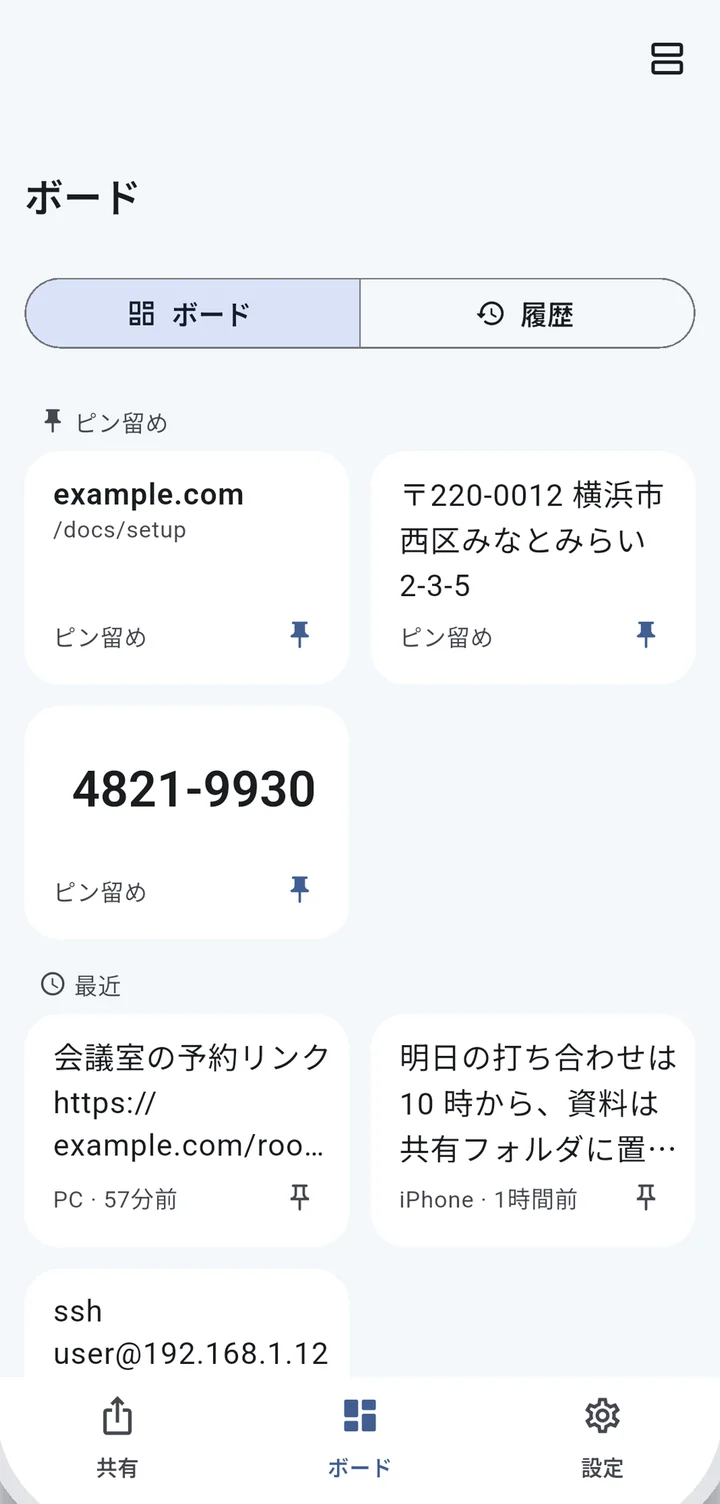
Addresses, phone numbers, meeting links. Pin the things you send again and again, and copy them with one tap. Numbers are shown large, and links open with a tap.
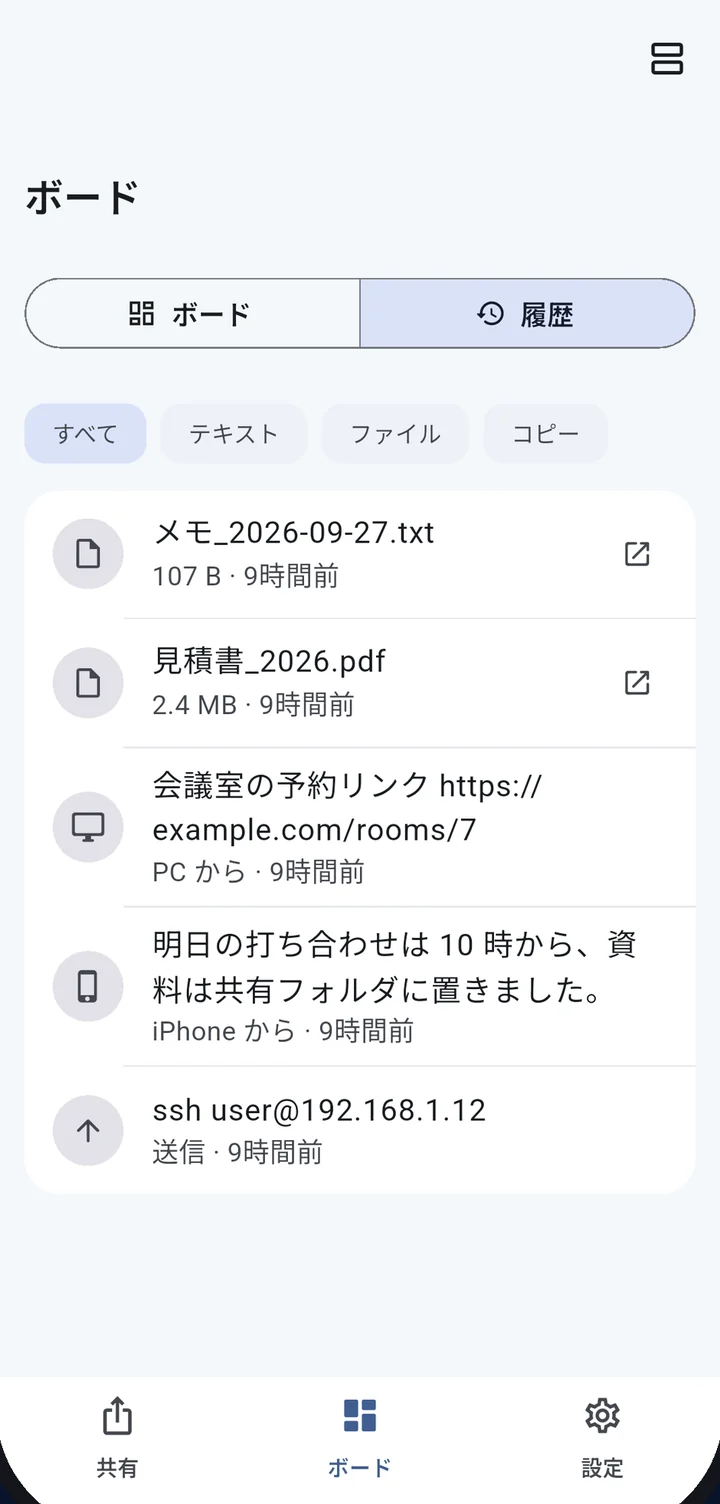
Besides the text and files you exchange, what you copy on this device is kept in your history too. Filter by type and see which device sent each item, so finding it later is easy.
Choose where received photos and files are saved. On Windows, Mac and Android, pick any folder; on iPhone, they are always in the Files app.
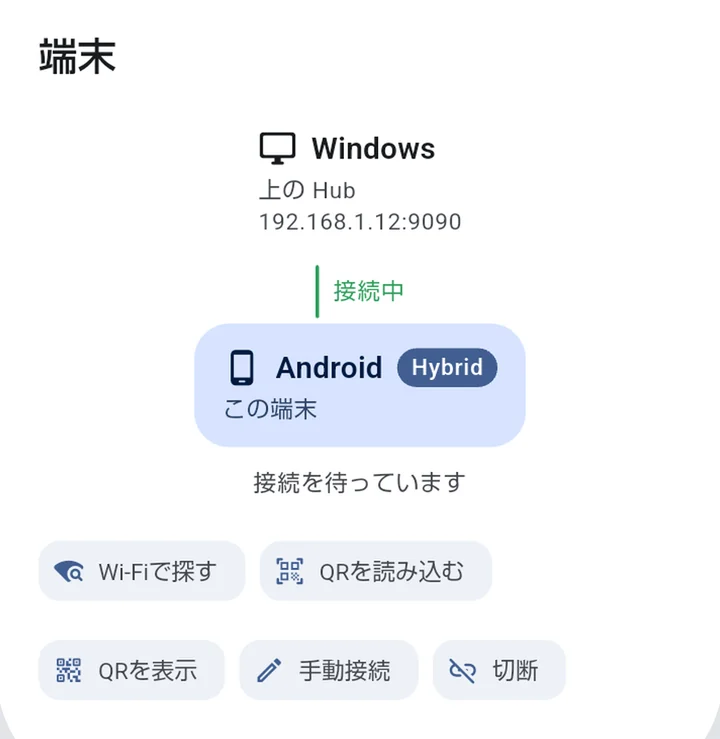
Which device is connected, and to whom? A map centred on the Hub shows it at a glance — including devices connected behind another one, which you can send to directly.
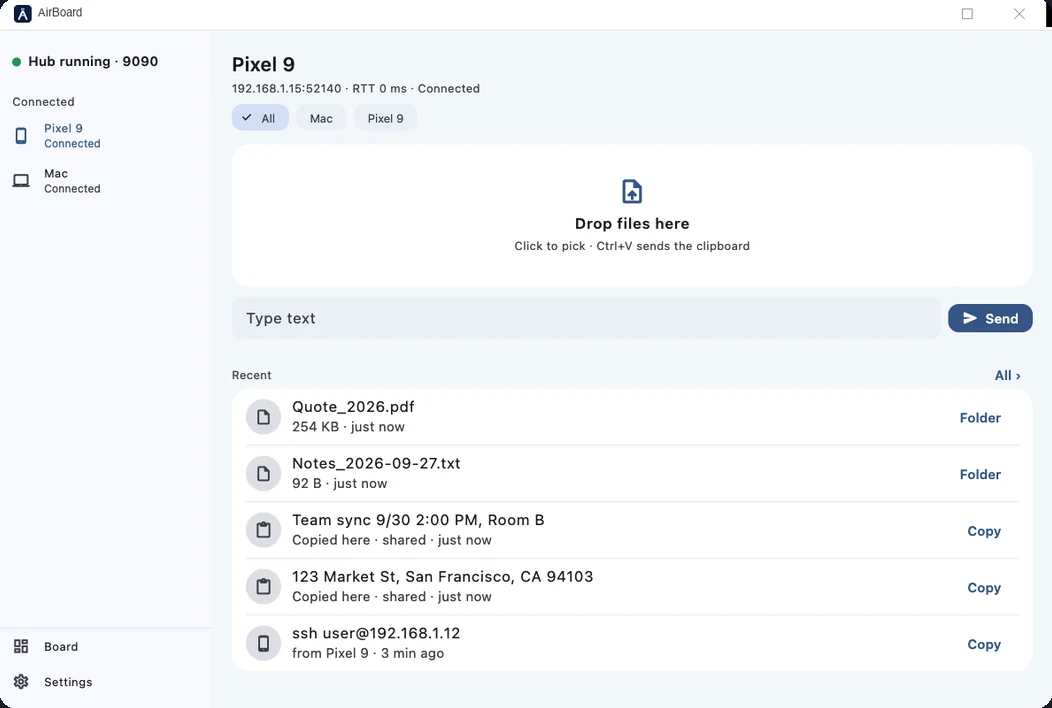
Devices on the left, a drop zone on the right. The Windows app is built for keyboard and mouse.
Drop a file on the window to send it
Send what's on your clipboard
Close to the tray. It reopens where, and as large as, you left it
Connect your PC and phone to the same Wi‑Fi (or LAN).
Search on Wi‑Fi or scan a QR code. A new device connects once you approve it.
Pick a photo, file or text. On a PC, just drop it or press Ctrl+V.
AirBoard is free. The phone and tablet apps show ads, which you can remove with a one-time in-app purchase (Remove ads). The Windows and Mac apps have no ads.
Step-by-step guides for the most common tasks.
Text and files handled by AirBoard never pass through a server on the internet. Ads in the mobile apps are served by Google AdMob, but what you share is never used for ads and never sent to Google.
Read the privacy policy
Free, no sign-up. Just install it on your devices.
Small, dependable tools that connect the devices you already have.
Share text, photos, files and your clipboard between your PC and phone on the same Wi‑Fi. No internet, no account.
Turn participants' phones into microphones and manage who speaks from your PC. Free for participants, nothing to install.

Evidence-linked AI meeting minutes and transcription for iPhone and iPad (Japanese-language meetings)